Negative prompt generator, free, then tested on a locked seed

Your images land here

Each one carries its seed. Lock a seed, change one word, and the version tree on the left shows exactly what changed.

Added to the end of your prompt as one "Avoid: …" sentence. A hint, not a filter: describing what you want works better.

Model
Size
Shape
Seed

Unlocked: every image gets a new seed. Each result still shows its seed, so you can keep any of them.

Run
How many
Look
Sign up free: 11 credits once

One Flux 3 Klein image is 11 credits. No card needed.

A negative prompt lists what you do not want in the picture. This negative prompt generator builds one for you for free: tick the problems you keep seeing, and copy the avoid list it writes, for any tool that has a negative prompt field. In our studio there is no separate negative input: the list is added to the end of your prompt as one "Avoid: …" sentence, which nudges the picture rather than filtering it. Run the prompt on a locked seed with and without the list, and you will see what it really changed, which is often less than you expect.

Updated

How to do it in the studio

  1. 1

    Pick the problems

    Tick what keeps going wrong: lettering, extra people, busy backgrounds, borders, blur and so on. The list below updates as you tick, and you can copy it in one click. This part is free.

  2. 2

    Paste it into the avoid field

    Put your prompt in the studio and the list in the avoid field (up to 300 characters). On all three models it is added to the end of the prompt as one "Avoid: …" sentence, and the recipe card keeps it with the seed.

  3. 3

    Test it on a locked seed

    Generate once with the avoid list empty, keep the seed, then run again with the list. The two versions sit side by side in the version tree. If the thing you wanted gone is still there, rewrite the prompt instead (see below).

Who it helps

  • Pictures that keep getting stray text, watermarks or extra people
  • Product and portrait shots that come out cluttered
  • Finding out which avoid words do anything at all
  • Building a reusable avoid list for a style you use often

Free negative prompt builder

Tick what keeps going wrong in your pictures. No account needed.

Free negative prompt builder
text, letters, watermark, logo

Paste it into the avoid field in the studio above, then run it on a locked seed with and without the list to see what it changes.

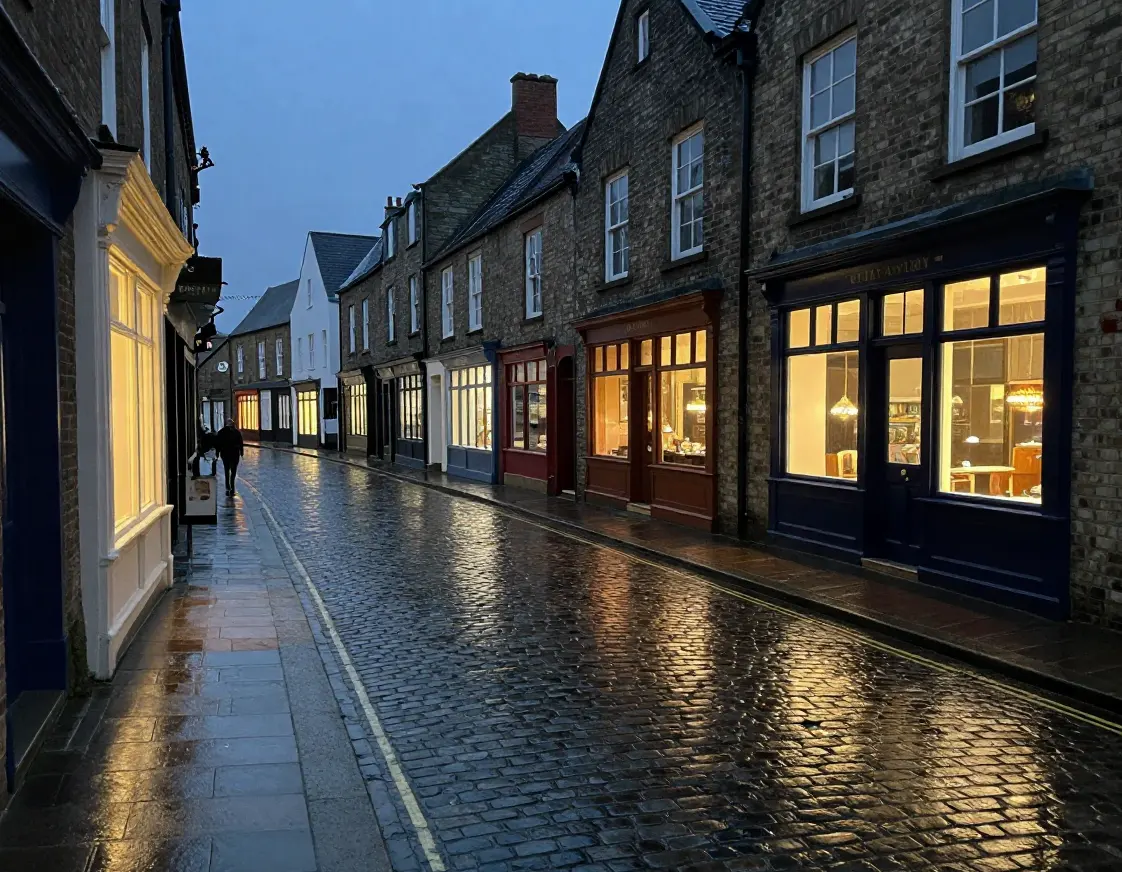
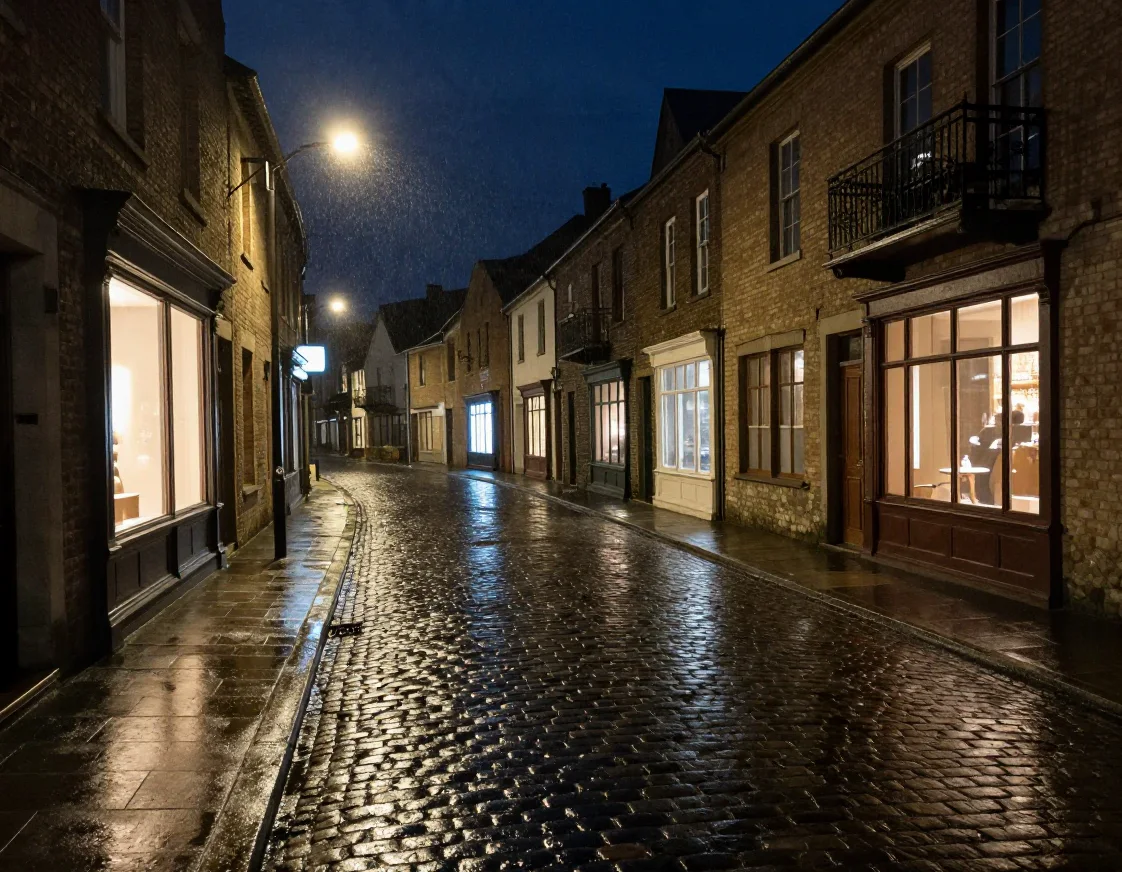
A rainy cobbled street at night with one passer-by, then the same seed with "quiet" changed to "deserted" and the street emptyBeforeAfter

Before

A quiet old-town street at night after rain, wet cobblestones, shop fronts with warm windows, wide shot

After

A deserted old-town street at night after rain, wet cobblestones, shop fronts with warm windows, wide shot

1K · seed 240117
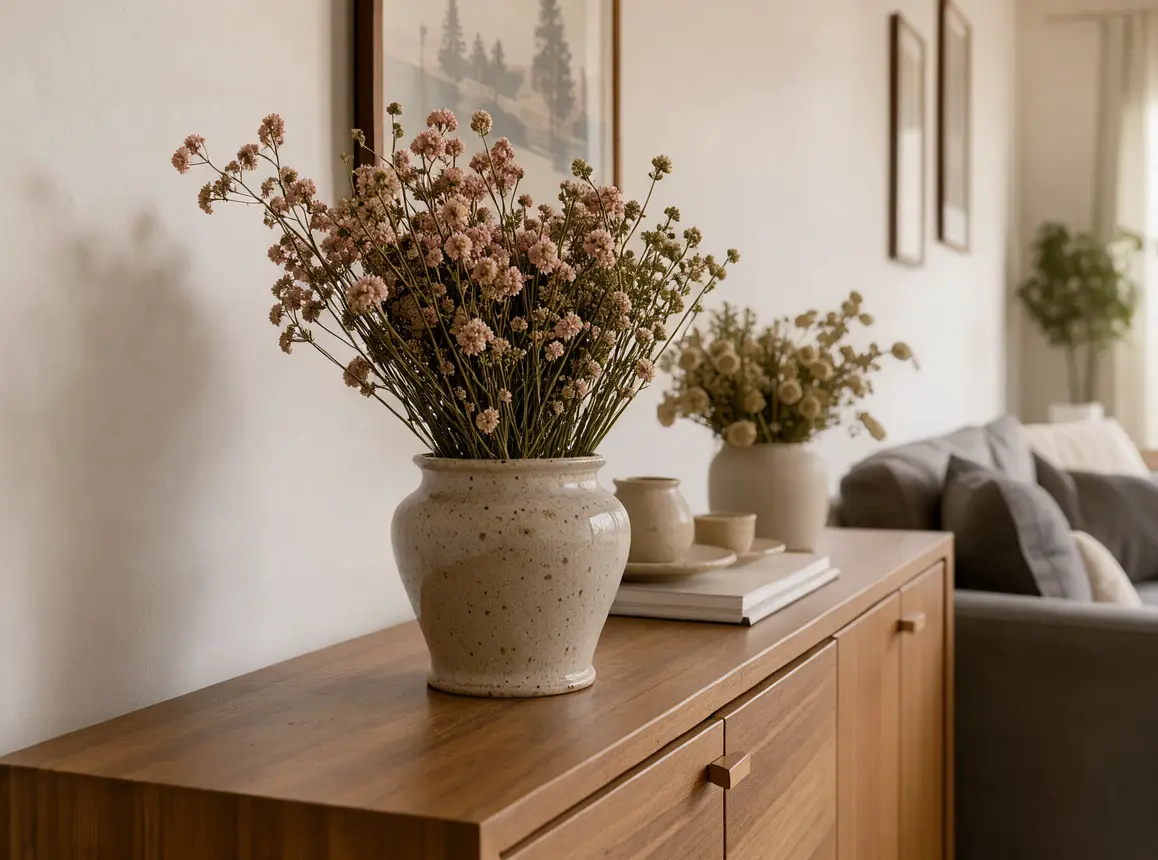
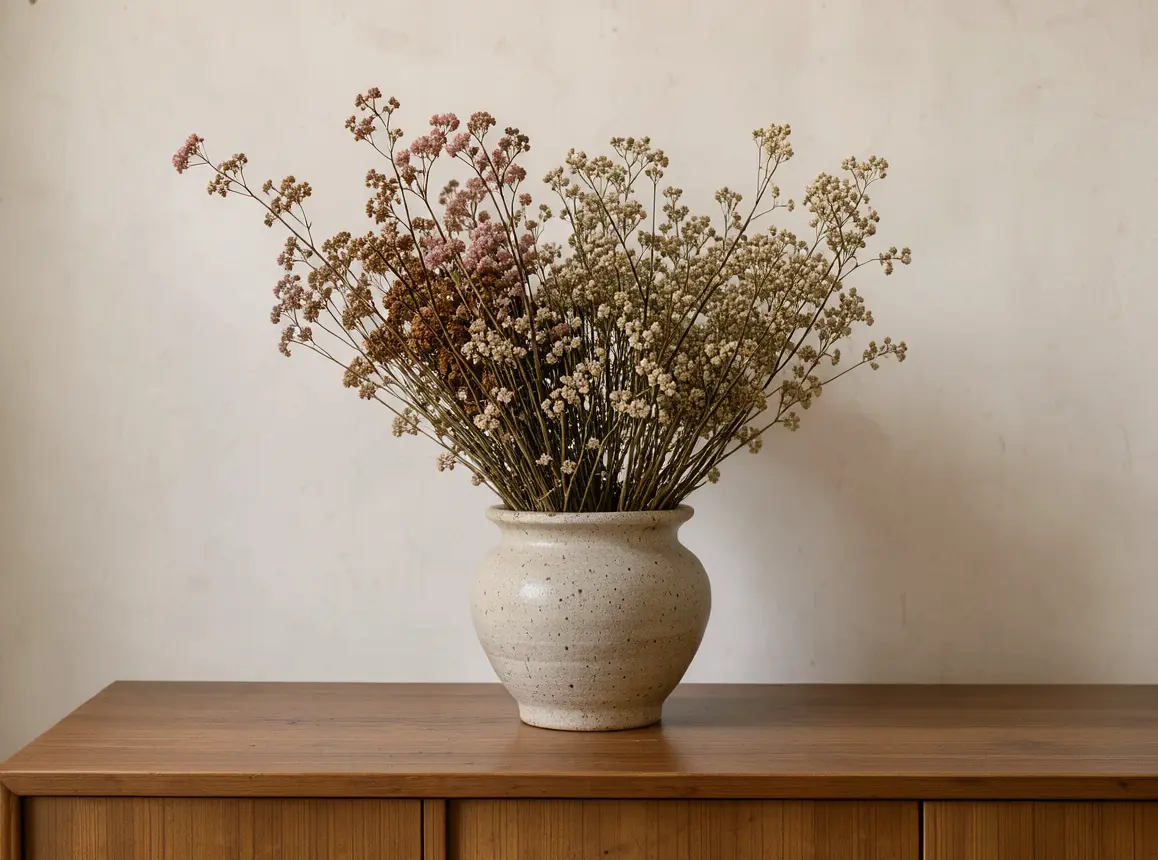
A vase of dried flowers on a sideboard in a furnished room, then the same seed described against a bare plaster wallBeforeAfter

Before

A ceramic vase of dried flowers on a wooden sideboard in a living room, afternoon light

After

A ceramic vase of dried flowers on a wooden sideboard against a bare plaster wall, afternoon light

1K · seed 63318

01

What a negative prompt can and cannot do

In tools with a real negative prompt input, the list pushes the model away from those things. Here it is part of the prompt, and naming a thing can also draw it in: in our own same-seed tests, adding "cars" to the avoid line put a car into a street that had none. The avoid line also cannot remove anything the prompt itself asks for. What works best is to say what you want instead: "an empty street" rather than "avoid: people", "a plain grey wall" rather than "avoid: clutter".

02

Why test on a locked seed

If you add an avoid list and change the seed at the same time, you cannot tell which one changed the picture. With the seed locked, the only difference between the two runs is the list. That is how you learn which words earn their place, which do nothing, and which make things worse.

03

The AI helper

The free builder works from a fixed list of common problems. The helper in the studio reads your actual prompt and suggests what is likely to sneak in, for 3 credits a suggestion. You can edit what it proposes before you run anything.

Credits per image, edit and upscale

You see the cost before a job runs. Failed and refused jobs are refunded. Plans and credit packs

Every image keeps its seed, so re-running it costs the same as the first time.
Job1K2K
Flux 3 Kleinper image1117
Z-Image Turboper image13–
Qwen Image 2per image47–
Edit (Nano Banana 2.1)2841
Upscale 2×1027
Avoid-list helper3

Common questions on this topic

Is the negative prompt generator free?

Yes. The tick-box builder on this page is free and needs no account. The AI helper that reads your own prompt costs 3 credits a suggestion, and generating images costs credits as usual.

Do the models here have a negative prompt input?

Not one that works through our studio: in same-seed tests a separate negative prompt changed nothing, so we do not pretend to send one. On all three models the list is added to the end of the prompt as "Avoid: …". It nudges the picture; it is not a filter.

How long should a negative prompt be?

Short. Three to six concrete words usually do more than a long list. The field takes up to the limit shown, but more words are not better.

Can I save an avoid list?

Download a recipe card from any image; it carries the avoid list along with the prompt, model and seed, and importing it fills the studio.